Sage Support

Sage Support Category

THE “WHY” OF BI

What’s the Big Deal With Business Intelligence (BI) Anyway?

Compared with established business technology like ERP systems or warehouse management software (WMS), Business Intelligence (BI) is a relative newcomer. But that hasn’t kept BI from quickly becoming an important topic of conversation in many business circles.

Even though BI has become very popular, some companies still don’t fully understand what it is and why you’d need it. In short, they’re wondering what the big deal is with business intelligence reporting. In this article, we’ll try and clear things up.

It’s All About Supporting Informed Business Decisions

In a nutshell, the concept of business intelligence reporting comprises a set of strategies, processes, and technology that support informed business decisions. BI reporting tools - like Sage Intelligence - can gather large volumes of data across multiple systems and sources, and then present all that data in a way that’s

Continue Reading

Managed Service Platform (MSP) - ERP Support Module

We know you are busy running your business and don't have time to deal with issues with your Sage 100 or Sage 100 Cloud system. That is why MBA has our Managed Service Platform with ERP support. This is a monthly plan that can be stopped at any time without penalty. When you do start on our MSP plan, we will install a monitor on your system and it will check on the system. It checks not only the disk space, CPU usage, and other system indicators but if you are running on Advanced or Premium it will check to make sure the application is running. It can even see if you have any orphaned tasks and clean them up so that you don't have any performance issues. With Premium, it will monitor the SQL server to make sure that it is running as expected. All of this plus the following: 

  • Credit Terms.
  • Flat Fee for MSP services billed monthly. No annual commitment or prepayment. Cancelable anytime effective after the first three months. First reinstatement is without penalty; subsequent reinstatements are charged for up to three months of lapsed service. 
  • Discounted Billing Rate for Professional Services rendered during project engagements and requested tasks.
  • Unlimited Telephone Support during business hours. Telephone Support is defined as operational assistance with end-user functions. If you prefer that our tech perform the end-user function for you (either directly or by proxy), it is a billable requested task.
  • On Call Support 24/7. Non-business hours support billed at discounted rate. After hours support calls are billable so that our techs can receive a bonus incentive to take the call.
  • Support Call Option to hold in queue for next tech or to leave voice mail for call back.
  • Bi-Directional Screen Sharing and File Transfer via high-speed Internet connection. Share your screen during a telephone support session to diagnose an issue or watch our screen during a web presentation. Optional mouse and keyboard control transfer can allow our tech to remotely control your workstation.
  • Professional Services provided at no additional charge to remotely resolve a diagnosed issue during a diagnostic screen sharing support session.
  • Direct Dial Access. Bypass reception for direct access to our Auto Attendant or a known telephone extension.
  • Toll-Free Inbound Number for non-local calls.
  • In-House Telephone Reservation System. No long distance number to call to attend MBA hosted conference calls or web seminars.
  • Waiver of Legacy Software Surcharge for supporting versions more than two major releases prior to current.
  • Two hours of Earned Training Credit per month for paid-up accounts. Hours can be redeemed for tuition to attend scheduled training including Sage Certified Courses in our MBA Classroom.
  • Free Tuition for Version Release Orientation Training in our MBA Classroom.
  • Remote Install at No Charge when requested for Sage 100 Interim Release Discs, Tax Table Updates, and most Service Updates and Service Packs (those requiring database conversions are excluded).
  • Optional MBA Business Systems (our IT and Networking sister company) bundle that combines the MSP plan with a Network Support plan at a discounted monthly fee. The bundle plan provides enterprise support for hardware, software, and the network infrastructure.

Businesses can’t get the full value from their software investment if their users are only partially trained or self taught. You chose our MSP plan – we expect – because you want the most possible from your software. So we are going to give you free training for your employees. As long as you are on the MSP plan and are paid-up on your account, you will earn two hours of training credit each month.

These training hours can be accumulated for up to two years and used for tuition at scheduled training in our MBA Classroom. You must have earned enough training credit for the hour length of the class. Books and materials for Sage Certified Classes are not included and must be purchased to attend the class. Students completing a certified class earn a course completion certificate for Sage Certified Training. Please call us to schedule attendance or if you have questions concerning your earned training hours. Check our website for a list of upcoming classes.

Comparison of support plans offered by MBA Business Software

Feature

Standard

MSP

Sage Reseller of Record Required

No

Yes

Monthly Fee

None

$325

Account Terms

Credit Card

Net 10

Initial Credit Limit

N/A

$5,000

Direct Dial Access to MBA Employees

Yes

Yes

Telephone Help Desk Support

Billable

Included

Support Call Routing

Call Back

Queue

Diagnostic Screen Sharing Services

Billable

Included

Support Call Professional Services

Billable

Included

Professional Services Billing Rate

Standard

Preferred

Legacy Software Surcharge

$25/hour

None

Earned Training Hours for Current Account

None

2 hrs/month

Version Release Orientation Training

Billable

Included

Remote Install of IRD, TTU and SP/SU

Billable

Included

MBA Business Systems Network Bundle

N/A

Optional

Sage Certified Training

Your Sage software product isn’t worth what you paid for it if you don’t know how to properly use it. You can’t expect the results you want if your organization has not been adequately trained.

To assure the availability of comprehensive and uniform training, Sage offers Certified Training through reseller operated Authorized Training Centers and Certified Trainers who instruct using a standard curriculum and course materials provided by Sage.

Accept no substitute!
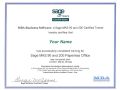
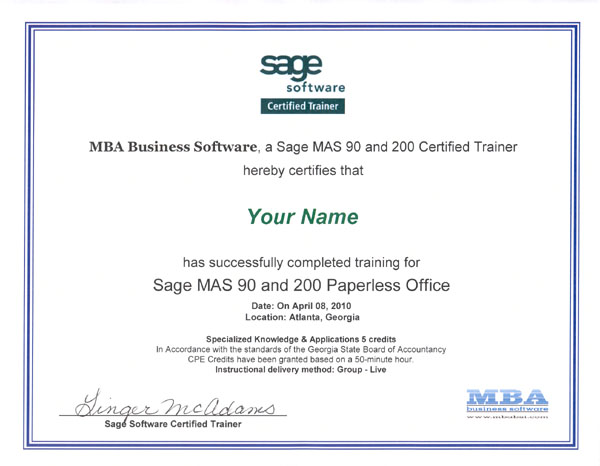
trainingcertificateAny Sage reseller may offer training but don't think that it is the same as our Sage Certified Training courses.

Here are some of the differences of training with MBA.
  1. Student to Teacher Ratio 4:1 max per class. (This does not apply to dedicated customer classes)
  2. Each student has a workstation, specific to them, to use during the training class.
  3. Teacher can monitor workstations while training to make sure that all students are following along and understand the material. (This includes remote training)
  4. Sage course material is used to make sure that the training is consistent and complete for the module being trained on.
  5. Exam at the end of the class to confirm that the student understands the material learned. (Results are available to Managers per request)
Attendees completing our Certified Training courses will be awarded a Sage Certified Training certificate. This assures employers that participants have been adequately and properly trained to Sage standards.An option for the class is to attend remotely. When remote, the student has access to the workstation specific to them and the instructors monitor is displayed to be able to follow along. This does require an additional remote fee. Other options available for dedicated company training which allows over the 4:1 to attend at our office or remote. As well as the ability to have the trainer onsite at the remote location. Contact us for more information about this.

Receiving training from a Sage Certified Consultant is not the same as completing a Sage Certified Training course ! Certified Training courses train to Sage standards. 

Free Sage Certified Training classes

You can get tuition free training for any Sage Certified Training class if you are current on MBA’s Managed Services Plan (MSP) or our legacy Software Support Account/Preferred plan (SSA/PF). Students pay only the cost for required training manuals. Details are explained on our Software Support Plan web page.

Why would MBA give away Certified Training? There are two good reasons. First, it is value added to our “worry free” support level plan which provides businesses with the highest assurance of getting the expected results from their Sage software. Second, it turns out to be a cost savings to us because the better trained customers put the lowest demand on our support resources.

If you are not on our support plan and want free training, why not sign up now!

Courses Offered

MBA schedules training for Sage 100 as well as classes on Microsoft Windows, Crystal Reports, network administration and web development topics. All scheduled classes are held in our classroom. We also offer non-scheduled “road show” Sage Certified Training courses for up to five students at customer locations – you provided the conference room and we roll in the equipment.

A Guide to Support Services

We are in the service business and if we can’t be easily reached, then we’ve failed at the first requirement. MBA has implemented a state-of-the-art telephone system along with our own local server for screen sharing with your workstation over the Internet. We want to give you a variety of options that can suit the needs of the moment that will make it easy, quick, and convenient to call us, reach the right person and get your issue resolved. Our goal is to provide the best customer service experience possible by:

  1. creating the maximum probability of reaching a real person on the phone before being sent to an automated attendant or voice mail,
  2. providing sufficient flexibility in the telephone system to accommodate the caller at every step such that the caller feels in control and not a hapless victim of a process, and
  3. minimizing the need for the caller to explain what is displayed on their screen or to blindly follow instructions for navigating a menu or entering data.

Here’s how our phone system works:

  1. The inbound Support Desk line is 770 399-8021. Incoming calls on this number will be routed directly to our Tier 1 support team during business hours. After-hours calls are routed to our automated attendant. If you reach support by mistake, our support techs will gladly reroute your call. Expect a quicker response to a support issue by using this line because it bypasses our receptionist.
  2. The main office number for MBA Business Software is 678 495-5700. It should be used for all non-support related calls. Incoming calls on this line will be taken by our receptionist or bookkeeper. By splitting inbound calls between two numbers answered by different people, we can maximize the probability that your call will be answered by a real person.
  3. If you have called our Support Desk and no one in Tier 1 is available to take your call, you may wait for a maximum of 15 minutes in our support queue listening to our engaging music-on-hold for a tech to become available. You will be reminded periodically that you can punch out to our support group voice mail or our automated attendant at any time to try on your own to locate someone else or to leave a voicemail for a specific person or other group.
  4. Should the support queue time out before a tech can take the call, the system will then ring our receptionist followed by our sales department looking for a real person for you to talk with. Should that fail and if you do not opt for the automated attendant, you will be automatically routed to Support voice mail. This group voice mail box is monitored by all Tier 1 Techs and your call will be returned by the first available.
  5. You may call anyone in our office on their direct line if you know the number or use the automated attendant directory. Should you reach an extension inappropriate for the nature of your call, you will be cheerfully rerouted to the proper extension or to the receptionist to help you decide who best to talk with. The direct dial option, while providing flexibility and convenience, comes with a caveat. Calling for or leaving a voice mail for a specific person may result in a delay rather than serve to expedite a response. This is true even if you are currently engaged in an ongoing dialog and are using a direct dial number for a call back. Like all businesses, our employees have appointments, attend meetings, and occasionally take time off for personal business or illness. Some even take vacations. Only the box holder will check for voice mail. It might be possible for you to wait for days for a response without anyone at MBA knowing of your plight. If you need an urgent response, locate our receptionist to expedite your request or use a group voice mail box to get the next available person. If you don’t hear back within a reasonable length of time, call to let us know so we can follow up or reassign the task.
  6. One of our direct dial numbers, 678 495-5730, goes directly to our automated attendant. You can use this number to bypass the receptionist if you prefer to transfer your own call to a group voice mail box or use the employee directory feature of our automated attendant to route your call by name when the direct dial number is unknown.
  7. Our inbound Toll Free number is 800 274-8041 which rings in on our main office line. If calling from outside the local telephone service area, use this number and ask to be redirected if calling a specific person, for support, or to join a conference.
  8. Our phone system supports conference calls with call reservations. The direct dial number for joining a conference is 678 495-5711. Your emailed invitation to join a conference call hosted by our system will include a start time and a Conference ID. You may call our Toll Free number to join a conference but you must be redirected to extension 5711 by either the receptionist or by using the automated attendant.

Here’s how to use our Internet based remote access screen sharing service:

Our screen sharing remote access service is provided by a local Bomgar server. This facility allows us to connect to your remote desktop via the Internet. We can either share your screen for resolving support issues or we can share our screen for demos and presentations. Access to a support session or presentation requires an Internet connection to help.mbabsi.com and a Session Key.

If you are engaged in a support call with our support tech and we determine that we need remote access to diagnose and resolve your issue, we’ll ask you to go to our help portal on the Internet and will orally give you the Session Key. You may either enter the URL address in your Internet browser or navigate to our main website at www.mbabsi.com, scroll to the very bottom of our home page, and click on the Remote Assistance link in the blue bottom banner. Once you have arrived at the help session screen, enter the Session Key to initiate the connection.

If you prefer a simple, one-click option to start a support session, you may optionally ask that we send you a session request email. When this email arrives, click on the provided link and it will automatically navigate you to our support portal and log you in with your Session Key.

MBA Support for Sage Software Products

sage-software-supportMBA has been implementing, supporting, and providing consulting services for Sage Software products since 1987 beginning with the original MAS 90. Our customers benefit from our more than 20 years of continuous experience as both a reseller and Master Developer with access to source code. We will support any Sage 100 ERP (MAS 90 or MAS 200) product, no matter how old or on what platform.

Our support is multi-tiered and managed by leading edge telephone queuing equipment and ticket tracking software. Calling our support number takes customers directly to our support queue bypassing company reception and lengthy automated attendant menus. Our support services include both a pay-as-you-go plan and a monthly unlimited call retainer plan. The base retainer plan is suited for knowledgeable users who want a minimum fee in return for shared risk. Our premium plan adds a worry-free option that covers virtually any day-to-day operational issue and includes a monthly earned training benefit.

With new technology comes new ways to assist customers when they need it. Our web-based desktop sharing facility lets our support technicians connect directly to your workstation to observe your screen and share control. Our customers are not asked to blindly follow voice instructions or asked to explain what their screen looks like.

Our support staff have field experience and are not trained call center staffers reading from a knowledge base. We'll ask you to describe your problem, ask questions to make sure we understand, make sure your call is being handled by the most knowledgeable support tech in the context of your issue, and then deliver a solution that we feel would best fix the problem. We know how important properly functioning software is to your job requirements. Our job is to enable you to get your work done. Our goal is to solve your problem with minimal inconvenience to you. Our reward is a satisfied customer, not a record number of support cases we can close in a day.

Subscribe to Newsletter

Subscribe here for MBA Business Software's newsletter and product information to stay informed about the products and services offered by MBA.

90 Minds
90 Minds Consulting Group is an 
association of proactive consulting professionals who combine technology skills while still operating their own independent companies.

MBA Business Software
Headquarters
6100 Lake Forrest Drive, 
Suite 520
Sandy Springs, Georgia 30328
(P) 678-495-5700 
(F) 770-399-5772

Remote Office
Chicago, Illinois

twitterfacebookyoutubefeedlinkedin